CleanMacStorage
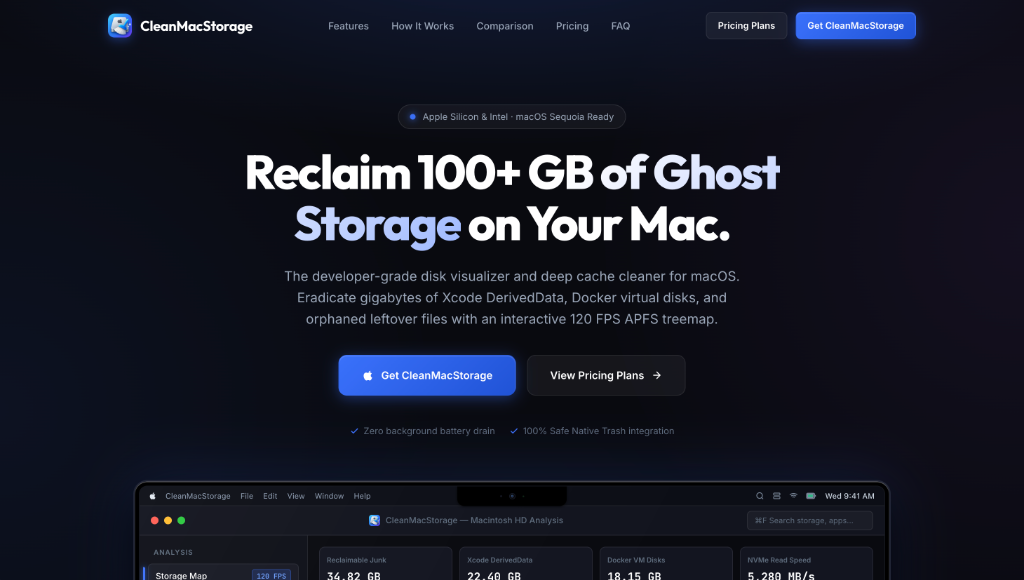
The developer-grade disk visualizer and deep cache cleaner for macOS. Eradicate gigabytes of Xcode DerivedData, Docker virtual disks, and orphaned leftover files with an interactive 120 FPS APFS treemap.
Generic Cleaners Miss What Matters
Generic Mac cleaners ignore what actually eats up disk space on developer machines. CleanMacStorage understands Apple developer workflows — it finds the hidden gigabytes that other tools completely miss.
Six Powerful Cleanup Engines
Every tool is laser-focused on the storage hogs that slow down developer Macs.
Interactive APFS Treemap
120 FPS hardware-accelerated squarified treemap. Instantly see which folders hoard your disk space. Zoom into any directory in real-time and reveal or trash items right from the map.
Xcode & iOS Cache Purge
Swift and Xcode silently stash 30+ GB of stale build artifacts, DerivedData, old iOS simulator runtimes, and archives you'll never need again. One click wipes them all.
Docker VM & Virtual Disks
Docker Desktop creates massive Docker.raw virtual disk images that never shrink after deleting containers. Safely purge unreferenced containers and build cache in seconds.
Deep App Leftovers Hunter
Dragging an app to Trash leaves gigabytes in ~/Library/Application Support, preferences plists, and sandboxed Containers. CleanMacStorage sweeps every hidden trace.
Sub-Second Large File Finder
Uses Apple's native Spotlight kernel (mdfind) to discover multi-gigabyte ISOs, screen recordings, 4K videos, and tarballs in under 300 milliseconds — no background scanning.
NVMe Benchmark & Memory
Test your Mac's real hardware sequential read performance with direct flash storage benchmarking. Monitor real-time memory pressure and APFS volume metrics live.
No Background Daemons. No Subscriptions.
Say goodbye to predatory $40/year renewals and heavy background services that slow your Mac down.
100% On-Device Privacy
Zero cloud uploads, zero telemetry, zero analytics. Your file names and disk contents never leave your Mac — ever.
Zero Background Daemons
Unlike CleanMyMac, no launch agents, no menu bar icons, no battery-draining services. When you close the app, it uses exactly 0% CPU and 0 MB RAM.
Pay Once, Own Forever
Lifetime license includes all future major updates. No annual renewal, no subscription traps. Pay $49 once and reclaim storage for the life of your Mac.
Apple Silicon Native
Built as a Universal Binary for M1/M2/M3/M4 and Intel. Runs at native speed on every Mac. Supports macOS Monterey through macOS Sequoia (12–15).
Real Feedback from Mac Developers
From iOS engineers to DevOps pros — developers love CleanMacStorage.
"I reclaimed 64 GB in under two minutes. My Xcode DerivedData was 38 GB alone! The interactive treemap makes it so intuitive to see what's eating disk space."
"Buying the $49 lifetime license was a no-brainer. I was tired of CleanMyMac demanding $40 every year just to purge cache files. CleanMacStorage has zero background daemons."
"The Docker.raw cleaner and orphaned node_modules sweep saved my 512GB MacBook Pro. Easily the best native macOS utility I've bought this year."
Invest Once. Reclaim Forever.
Both plans include full access to every developer cleanup tool. No feature gating.
ANNUAL PASS
Perfect for individual developers & students
- Unlimited APFS Treemap scans & drill-down
- Xcode, Docker & developer cache sweeper
- Deep App Uninstaller & leftover eradication
- 1 Year of software updates included
- Standard email support
LIFETIME LICENSE
Pay once, own it forever
- Lifetime software upgrades to all future versions
- Unlimited APFS Treemap & drill-down visualizer
- Full Developer Sweeper (Xcode, Docker, node_modules)
- Native Apple Silicon NVMe benchmark tool
- Priority VIP developer support
- Instant cryptographic license delivery
30-Day Money-Back Guarantee · Instant License Delivery · Activate on up to 2 Macs
Frequently Asked Questions
Is the Lifetime License really a one-time payment?
Yes. The Lifetime License is a one-time purchase with zero recurring subscriptions. It includes all future major software updates forever — no annual renewal needed.
Is it safe to delete Xcode DerivedData?
Yes, 100%. DerivedData contains intermediate compiled caches generated by Xcode; it simply rebuilds them on next compile. All files are sent to the native macOS Trash first — you can always undo.
Does CleanMacStorage run in the background?
No. Unlike legacy cleaners that install background daemons, CleanMacStorage only runs when you open it. When you close the window, it consumes exactly 0% CPU and 0 MB RAM.
Can I transfer the license to a new Mac?
Yes. Inside the app's License Activation tab, click "Deactivate Device" with one click. You can then immediately activate the key on your new Mac.
Which macOS versions are supported?
CleanMacStorage supports macOS Monterey (12), Ventura (13), Sonoma (14), and Sequoia (15). It runs natively on both Apple Silicon (M1–M4) and Intel 64-bit Macs.
Does it upload any of my data to the cloud?
Never. CleanMacStorage is 100% on-device. Zero cloud uploads, zero telemetry, zero analytics. Your file names and disk contents never leave your Mac.
Reclaim 100+ GB Today
Stop losing disk space to ghost caches. CleanMacStorage finds the hidden gigabytes that other tools miss — instantly, safely, and with zero background footprint.